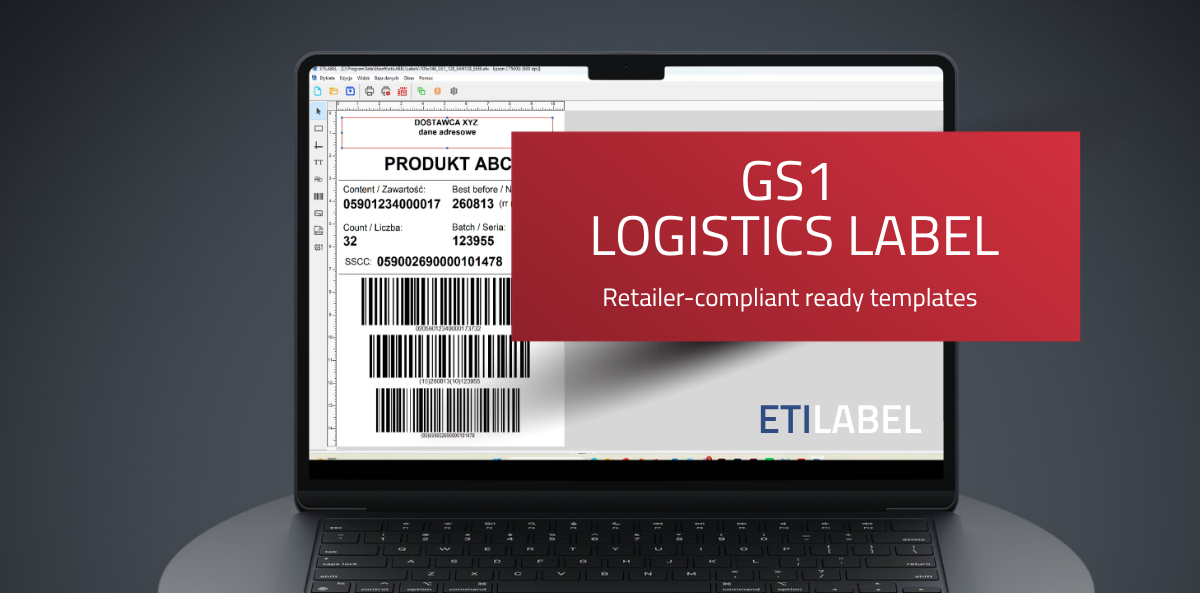
A GS1 logistics label for Rossmann from a ready-made template — an ETILABEL implementation case study
A logistics label that meets Rossmann’s specification can be prepared in a matter of minutes — provided you start from a ready-made template instead of designing it from scratch. The cosmetics manufacturer we worked with had one month to implement such a label; otherwise the shipment risked being turned away at the distribution centre. Its logistics department opened the Rossmann template in ETILABEL and filled in its own data: product name and code, batch number, production date and the number of units per pallet. The field layout, the GS1-128 barcode and the SSCC number were already correct. Below is the whole process — and what the template does not do for the supplier.
Table of Contents
What exactly does Rossmann’s logistics label specification require?

Retail chains don’t ask for a label — they ask for a document that complies with their own documentation and with the GS1 standard. Rossmann publishes requirements that have to be reproduced parameter by parameter:
| Specification element | What has to be determined |
| Label dimensions | media format and print area |
| Field layout | which data goes in which section of the label |
| GS1-128 barcode | module width (X-dimension), bar height, quiet zones |
| SSCC number | correct structure of the logistic unit number |
| Descriptive data | supplier, recipient, pallet contents |
An error in any one of these parameters — most often in the barcode module width — means a pallet returned to the sender, a delayed delivery and additional costs on the supplier’s side. It was the absence of any margin for error, not the deadline itself, that defined this project.
What the process looked like before the template
Before the client reached for a ready-made template, the logistics department had to carry out four steps on its own:
- Draw up the field layout from Rossmann’s documentation.
- Select the GS1-128 barcode parameters.
- Build a correct SSCC number structure.
- Test the printout on the label printer already in use.
The hardest part wasn’t the time — it was the lack of certainty about compliance. A team that doesn’t work with the GS1 standard day to day has no way of confirming for itself that it has reproduced the specification correctly; it finds out at the distribution centre’s loading dock. On top of that, a process meant to be one-off kept coming back: with every new product range, every new mixed pallet, every update to the chain’s requirements.
What the ready-made Rossmann label template contains
The template available in ETILABEL Business and ETILABEL Integration has everything the chain’s specification imposes built in:
| Label element | Who sets it |
| Label layout and dimensions | ready in the template |
| GS1-128 barcode with parameters | ready in the template |
| SSCC numbering | automatic, built-in numerator |
| Product EAN codes | field ready, data from the supplier |
| Product name and code | supplier |
| Batch number | supplier |
| Production date | supplier |
| Units per pallet | supplier |
The key difference compared with doing it in-house: the template is delivered in line with the recipient’s current documentation, rather than being reproduced by hand by a team with no GS1 specialisation. The client never had to interpret Rossmann’s technical documentation.
Where the label data comes from — Excel, a database and the SSCC numerator
For a one-off printout, data is typed into a form. For larger jobs, the template is connected to an external source:
| ETILABEL version | Data sources |
| Business | Excel file, CSV, SQLite |
| Integration | additionally a server-side SQL database (ODBC, OLE DB) |
Batch numbers and pallet quantities are then pulled in automatically, with no manual re-entry. The SSCC number is generated by a built-in numerator — which eliminates the risk that is both the most dangerous and the hardest to detect in manual work: the same SSCC number appearing on two different pallets.
The client prints the labels on hardware it already owned — getting the process running required no investment in a new printer. ETILABEL communicates natively with Etisoft, Zebra, Citizen, TSC, Honeywell, Toshiba TEC, Printronix and Epson printers, and supports other devices through the Windows driver.
The result — what changed in the process
Instead of weeks spent reproducing the GS1 specification and testing label compliance, the logistics department now has a process that comes down to filling in a form and printing. Three things changed:
| Area | Before | After |
| Label preparation time | weeks of work reproducing the specification | a few minutes per label |
| Certainty of compliance | verified only on delivery to the distribution centre | template compliant with Rossmann’s current documentation |
| Load on the team | logistics tracks changes in chains’ labelling specifications | changes handled by the template provider |
What a ready-made template does not do for the supplier
Three things worth asking about before implementation:
- Product data still has to be filled in by you. The template provides the structure, not the content — names, codes, batch numbers and quantities come from the supplier’s own systems.
- A printer outside the supported list works through the Windows driver. In practice that is usually enough, but it doesn’t give full control over printed label quality.
- Not every recipient already has a template. For chains outside the list below, preparing a template is a separate process, based on that chain’s labelling documentation.
Which retail chains does ETILABEL have ready-made templates for?
Rossmann is not an exception. The Business and Integration versions include ready-made logistics label templates for ten retail chains:
| Retail chain | Ready-made logistics label template |
| Auchan | yes |
| Biedronka | yes |
| Carrefour | yes |
| HEBE | yes |
| IKEA | yes |
| Intermarché | yes |
| LIDL | yes |
| Makro | yes |
| Netto | yes |
| Rossmann | yes |
The mechanism is the same regardless of the recipient, which is why the solution works anywhere a supplier has to comply with a specific chain’s labelling specification: in cosmetics, food, household chemicals and e-commerce.
Find out more about GS1 logistics labels for retail chains – click here!
Business or Integration — which version for logistics labels?
| Feature | Business | Integration |
| GS1 logistics labels | yes | yes |
| Ready-made retail chain templates | yes | yes |
| Excel / CSV / SQLite as a data source | yes | yes |
| Server-side SQL database (ODBC, OLE DB) | no | yes |
| Scripting and automation | no | yes |
| Print integration with client systems (ERP, WMS) | no | yes |
| Multi-user work over a network | no | yes |
Business is enough when labels are produced in the logistics department from files. Integration is for processes in which printing is to be triggered by a system.
Compare ETILABEL versions and choose the best one for you!
Summary
Complying with a major retail chain’s labelling requirements doesn’t have to mean a dedicated implementation project. If your company supplies products to retail chains and is looking for a fast, GS1-compliant way to label pallets — get in touch and we’ll check whether we already have a ready-made ETILABEL template for your recipient.
Frequently asked questions (FAQ)
Is the Rossmann label template ready to use straight away, or does it need adjusting?
The template already contains the correct field layout, the GS1-128 barcode with SSCC numbering and EAN codes in line with Rossmann’s documentation. What remains on the supplier’s side is filling in its own data: product name and code, batch number, production date and units per pallet.
Do you need to know the GS1 standard to use the template?
No — that’s the main advantage of a ready-made template. The GS1-128 barcode parameters and the SSCC number structure are already correctly built in, so the team doesn’t have to interpret GS1 documentation or select barcode settings on its own.
What exactly does the SSCC number contain, and is it generated automatically?
The SSCC (Serial Shipping Container Code) uniquely identifies a logistic unit, for example a pallet. In ETILABEL, consecutive numbers are generated by a built-in numerator, which eliminates the risk of the same number appearing on two different pallets.
Will the template also handle product EAN codes, not just the pallet code?
Yes. The Rossmann logistics template covers both the GS1-128 barcode with the SSCC number identifying the pallet and the EAN codes of the individual products on that pallet.
How do you connect the template to an Excel file or a database?
This function is available from the ETILABEL Business version — the template can be connected to an Excel, CSV or SQLite file. The Integration version additionally supports a server-side SQL database (ODBC, OLE DB). Label data such as batch numbers or pallet quantities is then retrieved automatically.
Do you have to buy a new printer to use the template?
Usually not. ETILABEL communicates natively with Etisoft, Zebra, Citizen, TSC, Honeywell, Toshiba TEC, Printronix and Epson printers, and other devices can be connected through the Windows driver.
What if the recipient doesn’t yet have a template in ETILABEL?
Get in touch with Etisoft and send over that chain’s labelling documentation — we’ll check whether a new template can be prepared based on the specific recipient’s requirements.