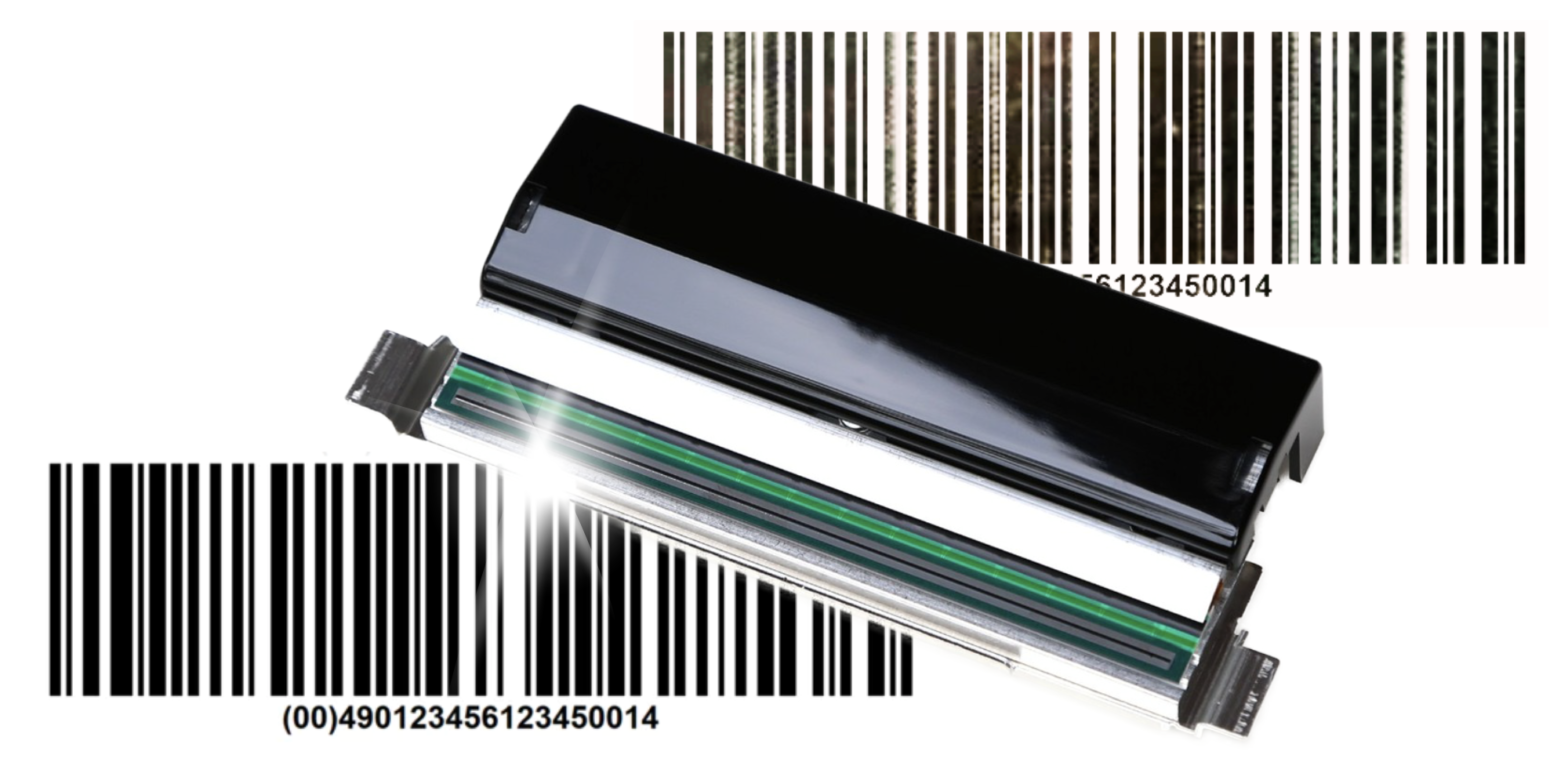
How to care for the printhead in a label printer? A practical guide
The printhead is one of the most important components of any label printer. It is responsible for print quality, barcode readability, label durability, and the smooth operation of the entire printing process. At the same time, it is a consumable component that naturally wears out over time. The good news is that proper use and regular maintenance can significantly extend its service life. In this guide, we explain how to care for the printhead in a label printer, how to clean it, and when to consider replacing it.
In practice, many print quality issues are not caused by printer failure, but by everyday maintenance neglect. Smudges, missing parts of the print, lighter lines, or uneven blackness are often the first signs that the printhead needs cleaning or is operating under suboptimal conditions.
Table of Contents
Why is the printhead so important?
In direct thermal and thermal transfer printers, the printhead generates heat at very precise points. Depending on the printing technology:
- in direct thermal printing, it heats the thermal material, which darkens when exposed to heat,
- in thermal transfer printing, it heats the thermal transfer ribbon, transferring the ink from the ribbon onto the label.
This means that the printhead works under significant mechanical and thermal stress. It is in direct contact with the material, and sometimes also with dust, adhesive, paper particles, or coating residues. The more intensive the operation, the more important proper maintenance becomes.
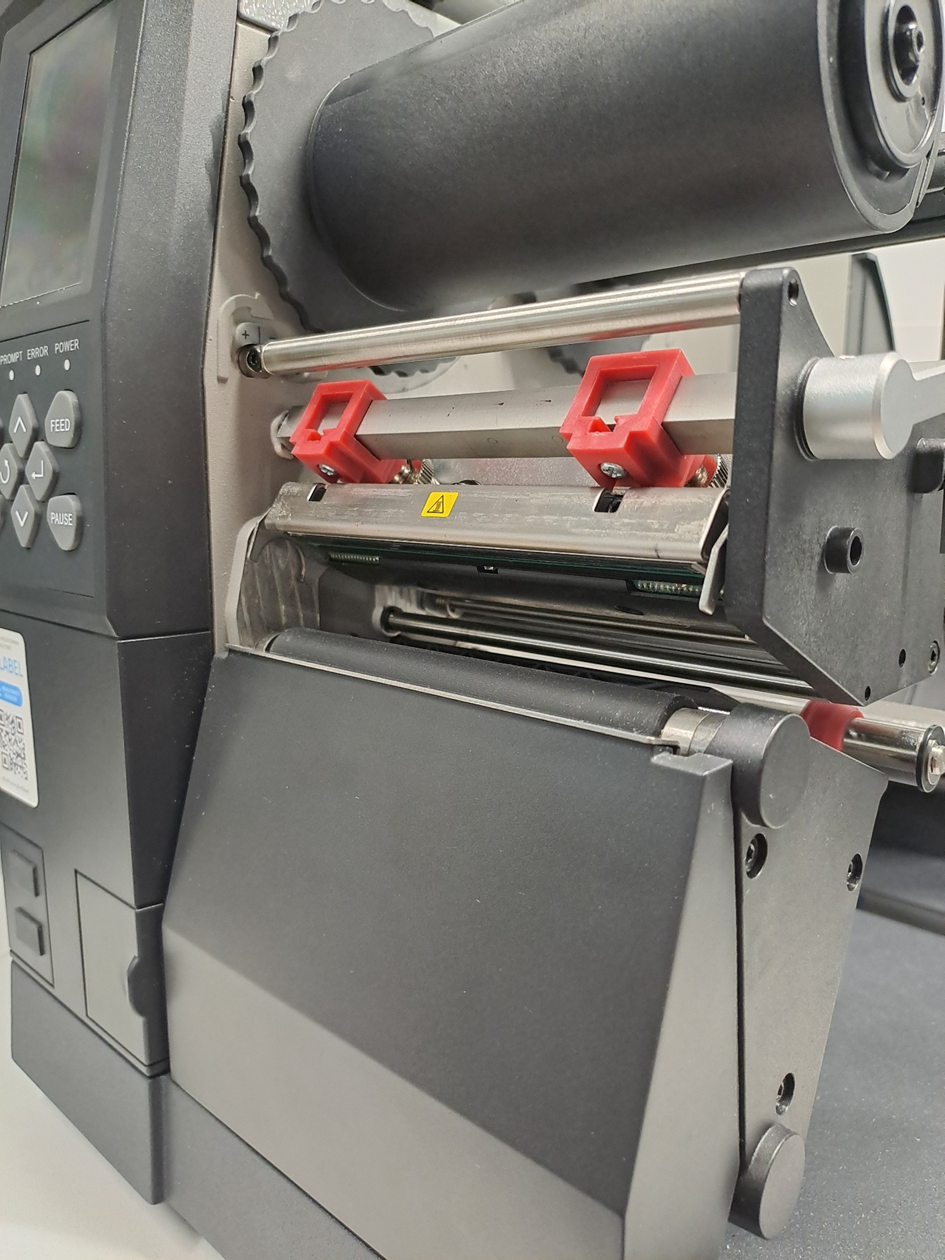
Printhead in the Etisoft iX4L printer
What damages a printhead the most?
The most common causes of premature printhead wear include:
- paper dust, adhesive, and other contamination,
- excessively high print temperature,
- excessive pressure,
- using poor-quality labels or ribbons,
- printing on damaged, wavy, or incorrectly selected materials,
- touching the printhead surface with fingers,
- mechanical damage during cleaning.
It is worth remembering that even minor contamination can affect print quality. If the user tries to compensate for this by increasing the temperature, the printhead wears out even faster.
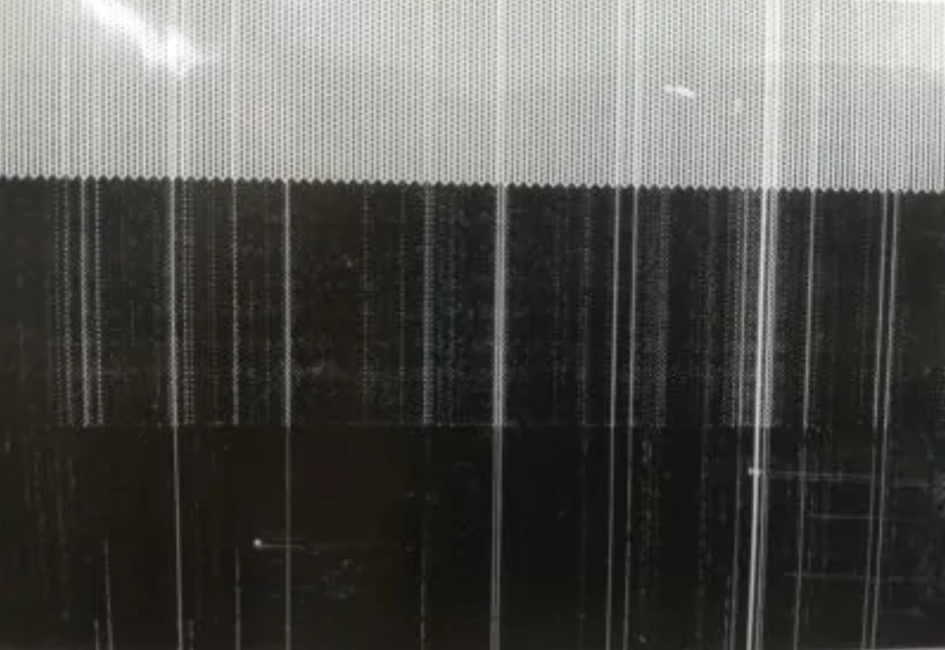
Printout from a damaged printhead
How often should you clean the printhead?
That is why it is so important to know how to clean the printhead and do it regularly, preferably every time you replace a label roll or thermal transfer ribbon. This interval works well in most applications and helps prevent dirt from building up.
In more demanding environments — for example where there is dust, heavy contamination, intensive operation, or labels with stronger adhesive — cleaning may be required more often.
Warning signs include:
- lighter print,
- repeated white lines,
- uneven blackness,
- reduced quality of barcodes and 2D codes.
How to clean the printhead properly?
Cleaning the printhead is not complicated, but it must be done carefully.
Recommended cleaning procedure
- Turn off the printer and wait until the printhead cools down.
- Open the print mechanism.
- Remove labels and ribbon from the print area.
- Use a dedicated cleaning product, most commonly:
- service wipes,
- lint-free swabs,
- isopropyl alcohol.
- Gently wipe the heating line of the printhead in one direction.
- Wait until the surface is completely dry.
- Close the printer and resume printing.
Do not use sharp tools, abrasive materials, or random detergents. The printhead surface is delicate and can be easily damaged.
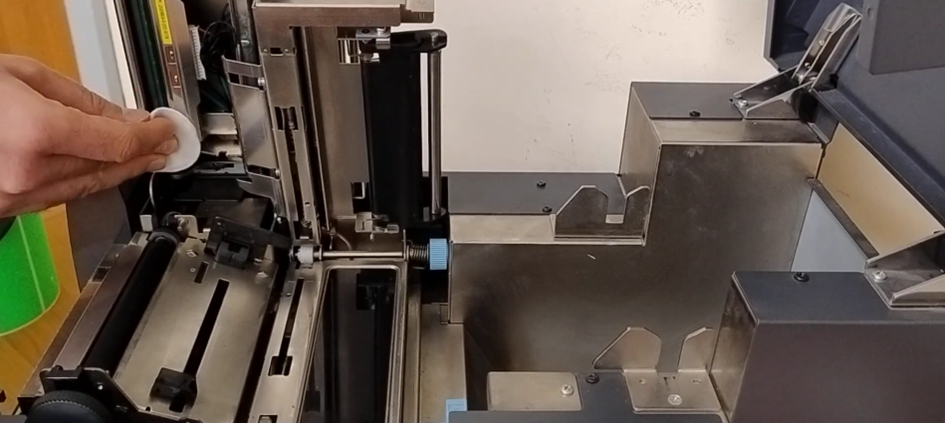
Cleaning the printhead in a Citizen CL-S700 printer
What else should you check during cleaning?
The printhead is not the only element that matters. During maintenance, it is also worth checking:
- the platen roller,
- material guidance,
- sensors,
- the area around the label path.
Accumulated adhesive or dust in other areas also affects print quality and may indirectly increase the load on the printhead.
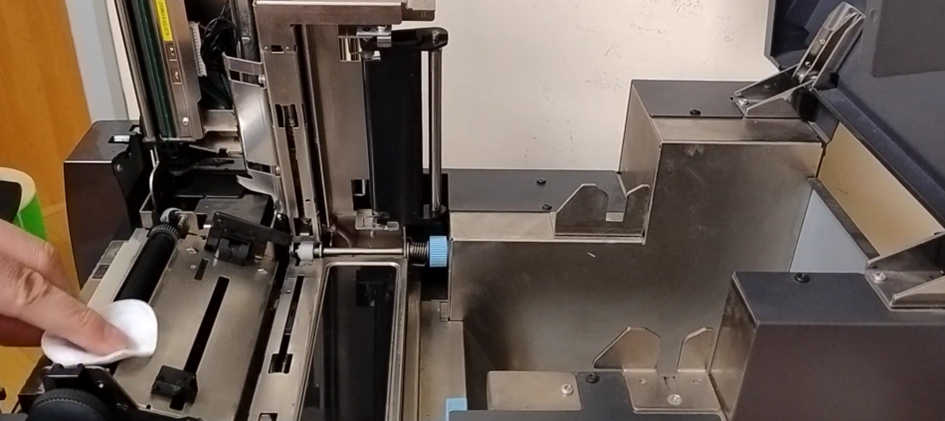
Cleaning the rubber drive roller in a Citizen CL-S700 printer
What symptoms may indicate a printhead problem?
Below are the most common symptoms, their possible causes, and the first actions worth taking.
| Symptom | Possible cause | What to do |
|---|---|---|
| Lighter print | dirty printhead, incorrectly selected material, too low print energy | clean the printhead, check the material and settings |
| White lines on the printout | dirt or damaged heating elements | clean the printhead, assess the level of wear |
| Uneven blackness | incorrect temperature or pressure settings | adjust print parameters |
| Poor barcode quality | worn printhead, poor-quality material, contamination | check the printhead, labels, and ribbon |
| Repeated missing print areas | permanent printhead damage | consider replacing the printhead |
Why does thermal transfer ribbon extend printhead life?
In thermal transfer printing, a thermal transfer ribbon sits between the printhead and the material, acting as an intermediate layer. As a result, the printhead does not rub directly against the label surface to the same extent as in direct thermal printing.
This provides several benefits:
- reduced friction,
- less direct contact between the printhead and dust or material coating,
- lower risk of micro-damage,
- the ability to achieve good print quality with a more controlled process.
This means that printers working in thermal transfer technology, when used with properly selected materials and settings, can operate more gently on the printhead than printers used intensively for direct thermal printing.
Of course, much depends on the quality of the ribbon itself. A poor-quality ribbon may generate dust, leave residue, or require higher print energy, which reduces some of these benefits.
How to set print parameters without shortening printhead life?
Users often want to achieve the strongest, darkest print possible. This is understandable, but overly aggressive settings are not beneficial.
It is worth aiming for:
- a print temperature that is only as high as necessary,
- print speed adjusted to the material,
- pressure no higher than required,
- label material and ribbon properly matched to the application.
The best result is not maximum darkness, but a stable, readable print achieved with moderately set parameters.
How long does a printhead last?
There is no single universal answer, because printhead life depends on many factors:
- printing technology,
- material quality,
- intensity of use,
- environmental conditions,
- cleaning frequency,
- correct printer settings.
In some companies, a printhead works for a very long time without needing replacement, while in others it wears out much faster. From the user’s perspective, it is more important to monitor signs of wear and keep the printer in good technical condition than to rely on a fixed replacement schedule.
A practical rule can be assumed: a printhead should not be treated as a “permanent” component, but it also should not wear out quickly when used properly. In a well-maintained printer, replacing the printhead is usually not a frequent service activity, but a natural stage later in the device’s service life.
When should the printhead be replaced?
Replacement becomes necessary when:
- vertical white lines appear repeatedly on the printout,
- print quality does not improve despite cleaning and changing the material,
- some heating elements stop working,
- barcodes no longer meet quality requirements.
In such cases, continuing to use a worn printhead usually leads to losses: incorrect scans, complaints, production issues, or logistics problems.
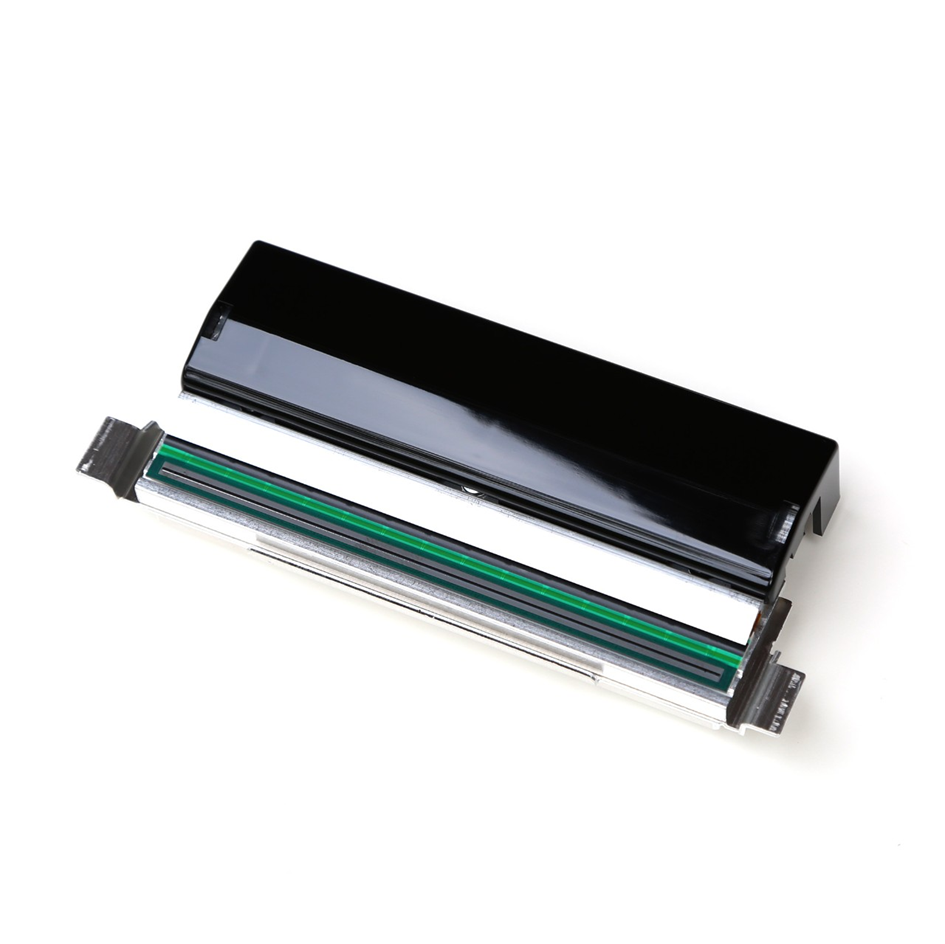
Printhead for Zebra ZT411 printers
How to extend printhead life? Key rules
The most effective actions are also the simplest:
- clean the printhead regularly,
- use good-quality labels and ribbons,
- do not set the temperature higher than necessary,
- keep the entire material path clean,
- do not touch the printhead with your fingers,
- respond immediately to the first signs of reduced print quality,
- use periodic service inspections.
Why does this matter from a business perspective?
A well-maintained printhead means more than better print quality. It also means:
- fewer downtimes,
- less frequent service interventions,
- lower risk of product identification errors,
- longer service life of the entire printer,
- lower operating costs.
In companies that print large volumes of labels, even small maintenance oversights can quickly turn into real operational costs.
Etisoft support: printheads and on-site service
It is worth remembering that even the best-maintained label printer will eventually require replacement of consumable components. That is why Etisoft offers a wide portfolio of printheads — both original parts and high-quality replacements for many popular label printer models.
This allows users to choose a solution that matches their needs, budget, and equipment usage intensity.
For companies that do not have their own resources for regular printer maintenance, we also offer individual service agreements. As part of these agreements, our technicians perform inspections, cleaning, and maintenance directly at the customer’s facility. This is a convenient solution for businesses that want to be sure their printers remain in good technical condition and that their marking process runs without unnecessary downtime.
Printer service agreements – see how we can help you!
In practice, this means fewer failures, better print quality, and greater safety of the entire labeling process.
Summary
The printhead is the heart of a label printer and one of those components that is truly worth taking care of on a daily basis. Regular cleaning, the use of appropriate consumables, and correct print settings help extend its service life and maintain high-quality markings.
Thermal transfer technology with a properly selected ribbon is particularly beneficial for printhead durability, as it reduces friction and improves the operating conditions of the print mechanism. Ignoring basic maintenance rules, on the other hand, almost always leads to faster wear, reduced print quality, and additional costs.
Taking care of the printhead does not require much effort, but it brings very tangible results. In practice, it is one of the simplest actions that helps maintain the reliability of the entire marking system.
Are you experiencing print quality problems or do you want to extend the life of the printhead in your label printer? Contact us — we will help you choose the right printhead, consumables, and service scope for your working conditions.
FAQ
How often should you clean the printhead in a label printer?
The safest approach is to clean the printhead regularly, preferably every time you replace a label roll or thermal transfer ribbon. In most applications, this interval effectively limits the build-up of dirt and residue. In more demanding conditions, such as dusty environments, intensive operation, or labels with stronger adhesive, cleaning may be required more often.
How can you tell if the printhead needs cleaning or replacement?
The first signs are usually reduced print quality, lighter print, repeated white lines, uneven blackness, or poorer barcode and 2D code quality. If the problem does not disappear after thorough cleaning and the same print defects continue to appear, this may indicate permanent wear or damage to the printhead and the need for replacement.
What should you use to clean the printhead without damaging it?
It is best to use products designed for label printer maintenance, such as service wipes, lint-free swabs, or isopropyl alcohol. Cleaning should be gentle and performed in one direction. Do not use sharp tools, abrasive materials, or random detergents, as the printhead surface can be damaged very easily.
What shortens printhead life the most?
The most common causes are contamination from dust, paper particles and adhesive, excessively high print temperature, excessive pressure, poor-quality labels or thermal transfer ribbons, and printing on damaged or incorrectly selected materials. Touching the printhead surface with fingers and careless cleaning are also harmful. Even minor contamination can reduce print quality and accelerate printhead wear.
Does thermal transfer printing extend printhead life?
Yes, in many cases thermal transfer printing can have a positive effect on printhead life because a thermal transfer ribbon sits between the printhead and the material, acting as an intermediate layer. This reduces friction and limits direct contact between the printhead and the label surface. However, the quality of the ribbon itself and correct print settings are very important — poor-quality materials can reduce this advantage.