Design and print
labels faster
and simpler – with ETILABEL
ETILABEL is an intuitive software created by Etisoft –
designed for easy and effective label design.
Why choose ETILABEL?

Easy to use
Intuitive and clear user interface that makes it easy to navigate and use the program’s functions

Works with various printers
Works with most label printers available on the market

Ready-made GS1 label templates
Ready-made GS1 logistics label templates for retail chains and furniture stores

Cooperation with databases
Integration with various databases, allowing for dynamic filling of information on labels

RFID label coding
The ability to encode RFID labels increases the system’s functionality, allowing you to track products at every stage of the supply chain.

Integration with systems
The built-in ETIGHOST application is used to manage label printing in complex IT systems
Compatibility with various label printers
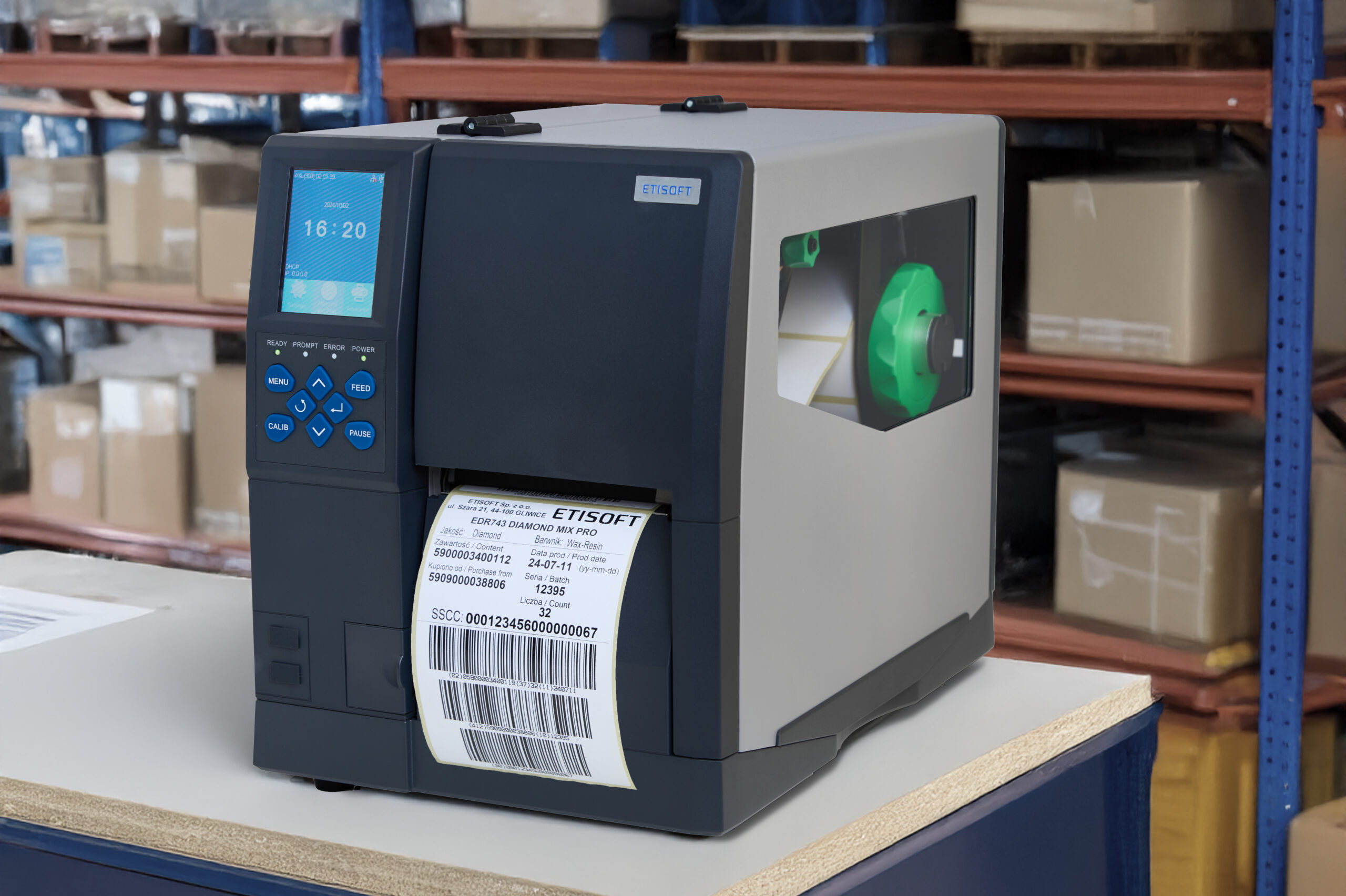
The program works with Zebra, Etisoft, Citizen, TSC, Printronix, Honeywell, Toshiba TEC, Epson printers using ZPL, EPL, DPL, TSPL, TPCL and ESC/Label printing languages.
You can easily connect ETILABEL to printers:
- Thermal transfer
- Direct thermal
- Inkjet (including color)
Not sure if your printer will work with ETILABEL?



Label design?
See how simple it is
with the ETILABEL program
The ETILABEL program is a tool that really simplifies
process – from the first click to the finished print.
We cope with these problems perfectly
Designing and printing labels can be frustrating, especially without the right tools. That’s why we created ETILABEL.
ETILABEL has an intuitive interface designed for those with no experience. You can start designing right away, without training or frustration.
ETILABEL allows you to design and print labels internally without outsourcing to a print shop. This allows you to print on demand without having to maintain large inventories, increasing independence and flexibility.
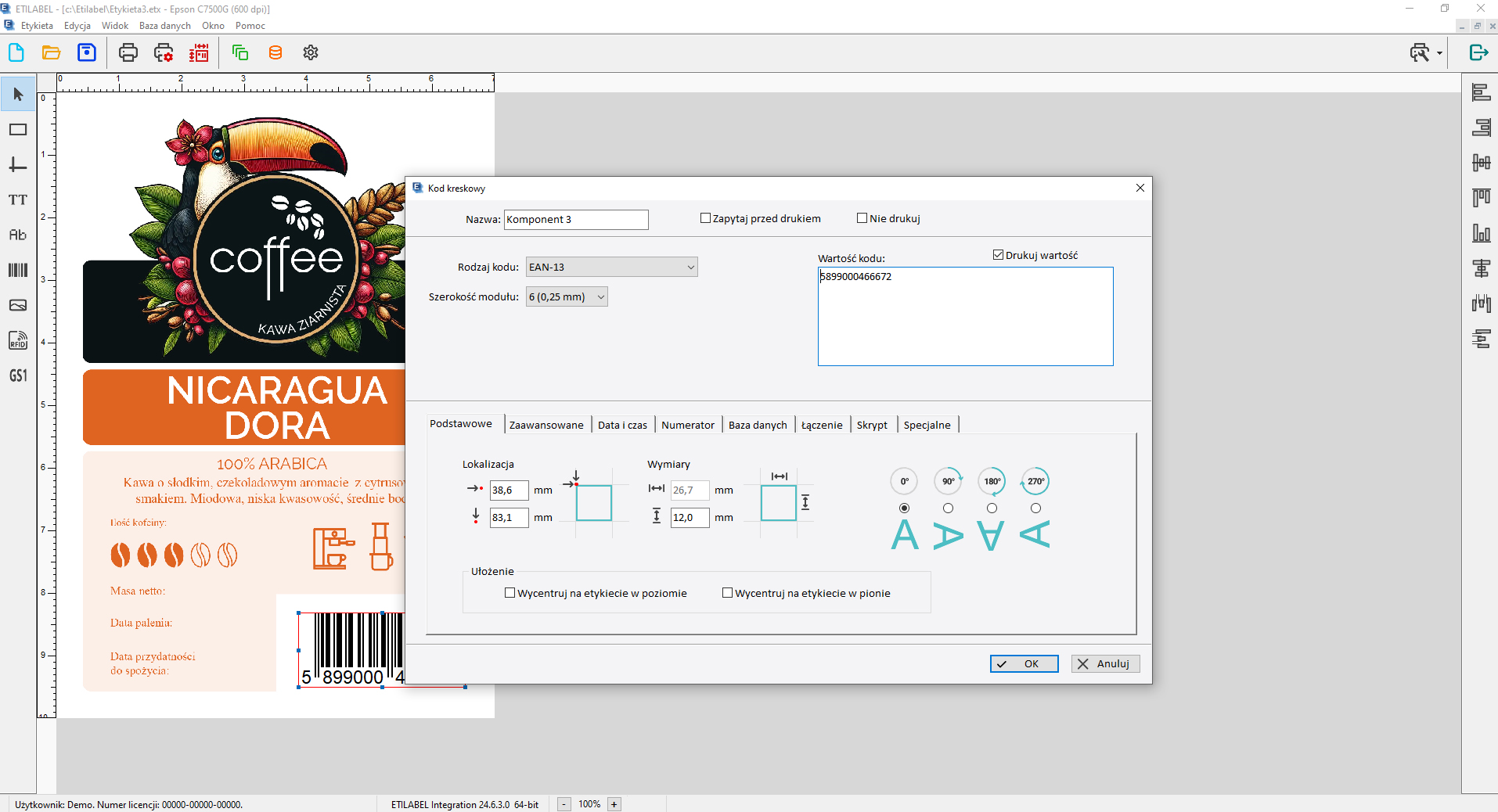
The program is suitable for designing various types of labels, such as nameplates, barcode labels, GS1 logistics labels, information labels, and color labels for finished products. ETILABEL also enables RFID label encoding.
- Text insertion (TrueType and system fonts),
- Graphics (bmp, png, jpg) and logos,
- Barcodes and 2D codes (including GS1 labels),
- Automatic numbering and variable data (e.g., dates, times),
- Database connection,
- RFID label encoding and printing (Business and Integration version)
ETILABEL (Business and Integration versions) allows you to connect your label design to an Excel file or database, which allows you to automatically populate labels with variable data – e.g. product name, batch number, price or barcode.
Yes – ETILABEL allows you to create label templates that can be easily edited or copied. This significantly speeds up work when working with large numbers of similar labels.
By choosing ETILABEL, you gain more than just a program
ETILABEL, a program created by ETISOFT in 1997, is constantly being developed and adapted to the needs of a changing market. Users who purchase the program via subscription can access available updates free of charge.
Over 30 years of experience
ETISOFT is a recognizable brand and a technologically mature company. For over 30 years, the company has been producing labels and self-adhesive materials, label printing software, and is a supplier of label printers and automatic identification devices for numerous industries.
A comprehensive approach
ETISOFT offers comprehensive label printing solutions. The company offers a wide selection of labels for thermal, thermal transfer, and inkjet printing, as well as thermal transfer ribbons. ETISOFT customers can benefit from ongoing service and technical support, including software and label printer maintenance, as well as device repairs.
Choose the ETILABEL version that suits your needs
The versions differ in functionality and are intended for different user groups with different needs.
ETILABEL Starter
The free version of the program – ETILABEL Starter allows you to prepare labels with a basic set of barcodes, text data and graphics.
- WYSIWYG label design
- Print with graphics and text
- 1D/2D barcode support (basic)
- Automatic numbering (counters)
- Color printing (e.g. Epson)
- Language availability (PL, EN, DE, HU)
ETILABEL Business
ETILABEL Business offers a large selection of barcodes, 2D codes, the ability to use advanced numbering tools and connect the label template to any database.
- Functionality as in the STARTER version
- 1D/2D barcode support (extended)
- Connection to file databases (Excel, CSV, SQLite)
- GS1 label support
- Printing and coding RFID labels
- Granting access to users
- Printing a bulk label
ETILABEL Integration
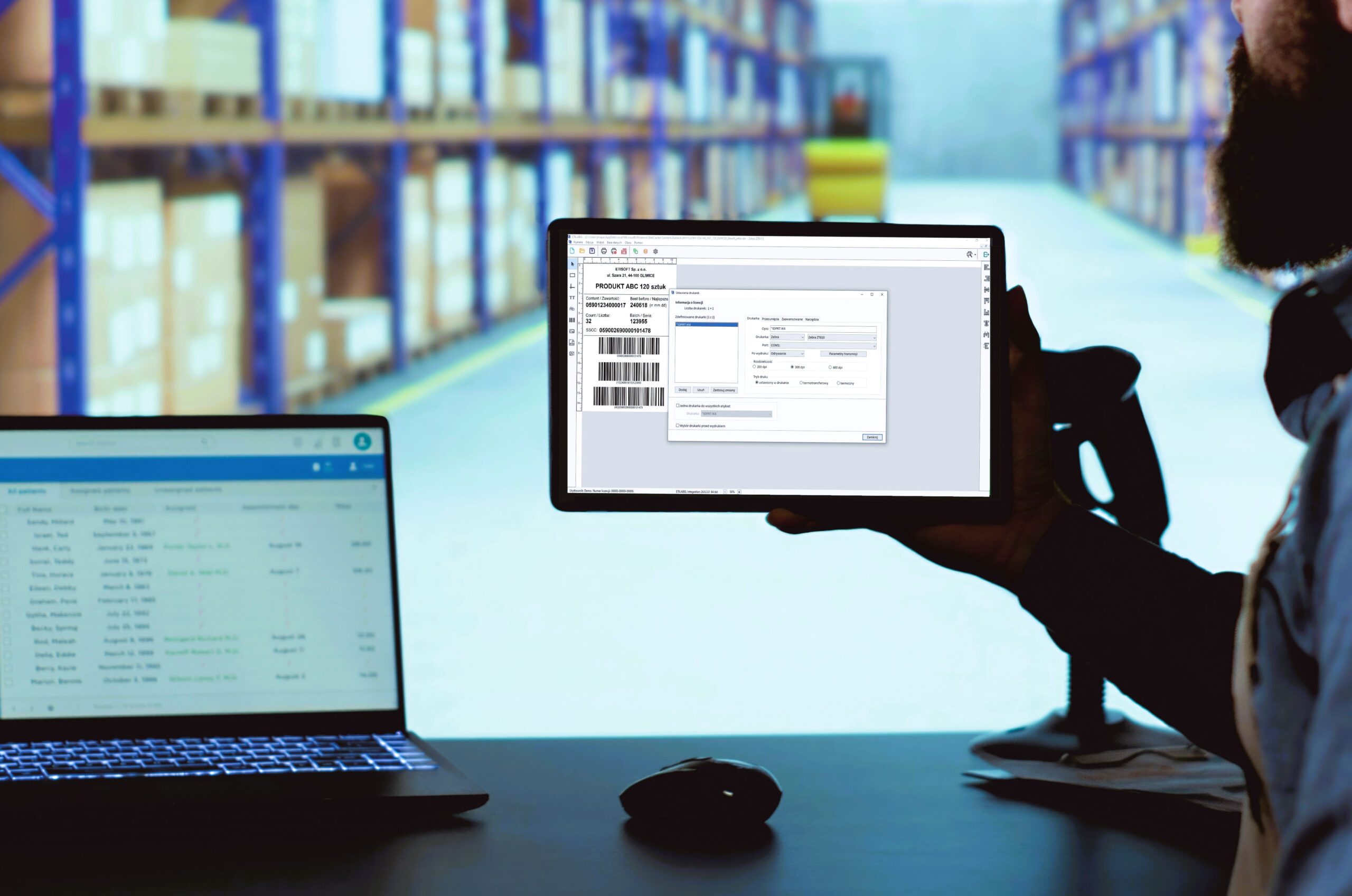
ETILABEL Integration has a built-in application for managing label printing in complex IT systems, allows you to create GS1 logistics labels, print and encode RFID labels and connect printers with a code verifier.
- Functionality as in the BUSINESS version
- 1D/2D barcode support (full range, including GS1)
- Connection to SQL server databases (ODBC, OLEDB)
- Scripting/Automation
- Multi-user/Network Support
- Creating and editing label templates
- Integration of printing with customer systems
- Operator window
- HelpDesk technical support (priority)
| Feature | ETILABEL Starter | ETILABEL Business | ETILABEL Integration |
|---|---|---|---|
| Supporting ETISOFT, Citizen, TSC, Zebra, Printronix (ZGL), and Epson (ESC/Label) printers | |||
| Printer tools: calibration, test printing, memory cleaning | |||
| Printing basic elements: bar code, text, lines, frames, bitmap graphics in bmp format | |||
| Basic settings for each element: name, value | |||
| Changing the position and size of elements with the mouse | |||
| Supporting tear-off, cut-off, peel-off and rewind | |||
| Basic printing parameters: number of labels, temperature and print speed | |||
| Printing via local ports (USB, LPT, COM) and network ports (TCP/IP, share) | |||
| Offset settings for tear-off, peel-off and cut-off before printing | |||
| Basic printing parameters: number of copies | |||
| Entering element settings using the keyboard: location, dimensions | |||
| Print offset to the label edge | |||
| Possibility of linking objects – target component combines value from static texts, source components, database fields. | |||
| Supporting all printers (via Windows driver mono/color) | |||
| Object inspector | |||
| 1D codes/bar codes – basic set of codes: 39, 93, 2 of 5, 2 of 5 with checksum, EAN13, EAN8, 128 | |||
| 2D Datamatrix codes and QR code | |||
| Automatic label numbering | |||
| Other bar codes (ITF14, EAN13 variable number/price, EAN2, EAN5, UPCA, HIBC, 39 Full Ascii) | |||
| Two-dimensional codes (2D): PDF417 | |||
| Function of code value composition from the value of other label components | |||
| GS-1 128, GS-1 logistics codes, Datamatrix / Databar, QR Code with automatic SSCC numbering | |||
| Printing 1D/2D code graphically | |||
| Printing True-Type text | |||
| Automatic label numbering (True-Type font) | |||
| Printing ABC Print font | |||
| Automatic label numbering (ABC font) | |||
| Automatic printing of date and time (also with offset – e.g., expiration date) | |||
| Automatic line break | |||
| Automatic label numbering (True Type font) | |||
| Hexadecimal and ASCII numbering | |||
| Checking text length when entering a new value | |||
| Negative, mirror image, center vertically (TrueType font) | |||
| Insert special character (TrueType font) | |||
| Change of letter spacing (ABC Print fonts) | |||
| Change of letter width and line spacing (True Type fonts) | |||
| Using TrueType fonts saved in the printer memory | |||
| System text justification (ABC Print fonts) | |||
| Entering text in RTF (True Type fonts) makes it possible, for instance, to bold/underlinea section, e.g., names of allergens | |||
| Importing bitmap graphics in bmp format | |||
| Importing image files saved in jpg, jpeg, png, pdf and gif formats | |||
| Save together with the label – saving graphics in the label file | |||
| Displaying background (e.g., for pre-printed labels) | |||
| Negative, mirror image | |||
| Import image files saved in svg format | |||
| Ask before printing – easy entry of new values for the selected components before printing. Possibility to use a selection list whose elements are read from a txt file with the name of the component. | |||
| Printing in multiple columns | |||
| Print direction (convenient editing of very long labels) | |||
| Do not print – possibility to disable some objects from printing | |||
| Printing in sheets (via Windows driver) | |||
| Saving the printout to a file (BMP / PNG / PDF) | |||
| Supporting file databases: dBase(dbf), Paradox(db), Excel (xls, xlsx), tekst (txt, csv), SQLite | |||
| Placing graphics whose names are retrieved from a database or excel spreadsheet on a label. | |||
| Retrieving the number of labels and print copies from a database / excel spreadsheet | |||
| Supporting basic TrueType RTF text formatting tags | |||
| Reading and writing values into a database (e.g., numberer) when printing from a database | |||
| Supporting any database: Access (mdb), MS SQL Server, – other ones via ODBC and OLE DB: Oracle, DB2, MySQL, PostgreSQL | |||
| RFID support | |||
| Users – limitation of access to the program, e.g., label editing | |||
| Printing a bulk label (set) | |||
| Printing pictograms, printing in two runs | |||
| Wait for label mode – processing and printing next label only when printer is ready to print | |||
| Value calculation function (subtraction, multiplication, addition, division) | |||
| Creating and editing label templates (.etxt files) | |||
| Ejecting a blank label after printing (separating a series of labels) | |||
| Saving label typesetting to the printer’s memory | |||
| Value calculation function (subtraction, multiplication) | |||
| Global numberer – possibility to use continuous numbering for multiple label templates | |||
| Parameters – calling the program from the command line with parameters | |||
| Scripting mechanism (value definition) | |||
| Easy saving of multiple label designs in printer memory | |||
| Possibility to calculate checksums and insert them into the text (required, for example, for code captions) | |||
| Saving information about printed labels and the label being printed (program log, label log)as a text file or in an SQL database | |||
| Possibility to define an operator window – set of buttons with assigned label designs | |||
| Printing after external signal (RS232 serial port): printing after receiving data through the port (scale, reader, PLC) button – printing after pressing the button connected to the port | |||
| Checking for element value uniqueness against a text file or SQL database | |||
| Print job by writing text (.txt) file | |||
| Print job by writing JSON file | |||
| Print job by writing XML file | |||
| Print job by sending TCP/IP data frame | |||
| Print job by sending SOAP/REST web service message – HTTP or HTTPS protocol | |||
| TLS1.2 encrypted connection at HTTP-REST | |||
| Print tasks can combine variable data transferred in print task request with the data retrieved from the database. | |||
| Retrieve label template name from database | |||
| Multithreaded printing | |||
Contact us
Fill out the form and download the demo version of ETILABEL
or install the free ETILABEL Starter.
Frequently asked questions
Here are the answers to the most frequently asked questions about ETILABEL software.
Yes, we provide full technical support for our users. You can contact us by email or phone. Our team is available Monday through Friday.
ETILABEL software supports a wide range of label printers – both thermal and color – making it a universal solution for manufacturing, logistics, and warehousing companies.
- Zebra
- TSC
- Etisoft
- Citizen
- Honeywell (formerly Intermec, Datamax)
- Printronix
- Sato
- Toshiba TEC
- Godex
Thanks to native drivers, the user has full control over parameters such as print speed, printhead temperature, label length, cutting, peeling, etc.
Color Printers:
- ETILABEL (Business and Integration versions) enables the creation and printing of color labels on the following printers:
- Epson ColorWorks (including C3500, C6000, C6500)
- Primera
- Afinia Label
- OKI Label Printers
This solution is particularly useful for GHS labels and product labels with color pictograms, graphics, and logos.
RFID Printer Support:
The software also supports printers capable of encoding RFID tags, including:
- Zebra with RFID module
- TSC RFID
- Honeywell RFID
RFID support is available in Business and Integration versions, with the ability to integrate with databases and asset tracking systems.
Local and Network Printing:
ETILABEL allows printing via:
- USB / COM / LPT (local printing)
- Ethernet / TCP-IP (network printers)
- Windows Print Server
- External systems (e.g., ERP, WMS) – via scripts, APIs, or integrations
This makes ETILABEL ideal for environments with distributed label printing across multiple locations.
ETILABEL software is used wherever precise and standard-compliant product identification is essential. Thanks to its extensive functionality and database integration capabilities, it is suitable for a wide range of industries:
Industry and Manufacturing
Labeling products, semi-finished products, and production batches. Automatic label printing from ERP and MES systems.
Logistics and Warehousing
Creating GS1-compliant logistics labels, A5/A6 pallet labels, and warehouse location labeling.
Retail and E-Commerce
Printing price labels, promotional labels, and bulk labels, as well as integration with product databases (e.g., Excel, SQL).
Pharmaceuticals and Healthcare
Labeling drugs and medical devices with batch numbers, expiration dates, and 2D codes. Meeting serialization requirements.
Laboratories and Chemical Industry
Labeling samples, containers, and reagents. Printing labels with GHS pictograms and hazard data.
Food and cosmetics industry
Create full-color labels with graphics, logos, ingredient information, and QR codes. Support for color printers.
ETILABEL is an intuitive and advanced label design and printing program. It offers:
- WYSIWYG label design (what you see is what you print)
- Support for barcodes, 2D codes (QR, Datamatrix), graphics, dates, and counters
- Database connectivity (Excel, SQL, Access)
- Print automation and integration with ERP/MES systems
- Support for industrial and color printers (Zebra, TSC, Epson, etc.)
- Compliance with GS1, GHS, RFID, and serialization standards
The program is suitable for use in industry, logistics, retail, pharmaceuticals, chemicals, and many other industries.
ZPL, EPL, DPL, TSPL, TPCL, and ESC/Label are built-in printer languages. ETILABEL uses them to communicate directly with Zebra, Citizen, TSC, Honeywell, Toshiba Tec, Printronix, and Epson printers. ETILABEL utilizes various printing languages, such as ZPL, EPL, DPL, TSPL, TPCL, and ESC/Label, providing complete control over the transmitted data and the accuracy of printed information.
Yes, a VAT invoice is issued for every ETILABEL software purchase.
You can receive an invoice:
- directly after purchasing online or by email,
- from an authorized partner or distributor,
- when ordering a license by email or phone.
To receive an invoice, simply provide your company details (Tax Identification Number, name, and address) when placing your order.
? For questions regarding invoices or payments, please contact the Etisoft sales department or your selected sales partner.
Yes. You can download ETILABEL Starter with basic functionality and the DEMO versions of ETILABEL Business and ETILABEL Integration for free.
The ETILABEL program is compatible with Windows, supported by Microsoft.
With a 12-month subscription, all program updates are included in the price. With a lifetime license, users can update free of charge for the first three months of purchasing the license. After this period, updates are no longer available; a new full license must be purchased.
ETILABEL stands out for its ease of use, rich functionality, excellent technical support and flexible licensing options, making it an ideal solution for small and large companies.
ETILABEL communicates directly with Etisoft, Zebra, Citizen, TSC, Printronix, Honeywell, Toshiba Tec, and Epson printers. For other devices, it’s best if the printer supports the ZPL printing language, but you can also print through a driver.
Yes. Such printing is possible by declaring the printer as “Printer Driver” and selecting the appropriate driver.
Yes, ETILABEL guarantees full backward compatibility.
Two-dimensional codes can be printed in any version. The free ETILABEL Starter version already includes this functionality.
Printing data retrieved from an Excel file is possible in the ETILABEL Business and ETILABEL Integration versions. Simply install the Microsoft AccessDatabaseEngine driver.
All licenses allow legal use of the ETILABEL program on a single computer. The exception is the ETILABEL Integration company license.
Yes, you need to uninstall the program on the old computer and install it on the new one with your license data.
From the ETILABEL Business version. The ETILABEL Business and ETILABEL Integration versions include ready-made logistics label templates for popular retail chains.
Files with the extensions bmp, png, jpg, jpeg, pdf, gif can be imported into the program as graphics.
ETILABEL allows you to save to a graphic file in bmp, png, and pdf formats. You can also print via the Microsoft PDF/XPS writer driver.